Digitap Redesign
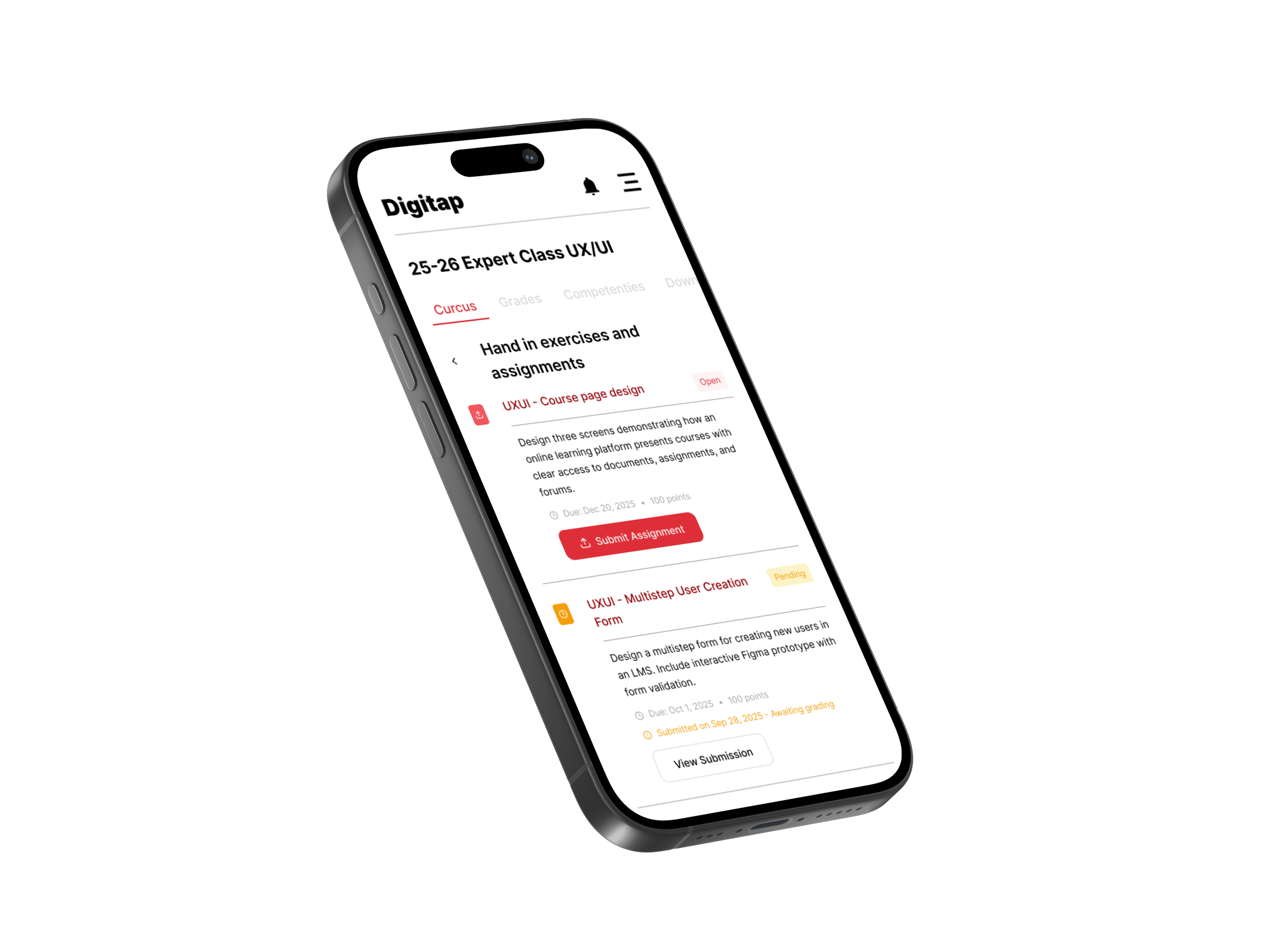
A mobile-first redesign of AP's learning platform Digitap, with clearer, task-based flows for students and teachers.
- Role
- UX/UI design (solo)
- Year
- 2025
- Type
- School project, Expert Class UX/UI (AP Hogeschool)
- Tools
- Figma
- Deliverable
- Interactive Figma prototype (3 flows)
Challenge
Digitap, AP's digital learning platform, holds course materials, assignments, grades and communication, but it asks a lot of its users. The brief was a use case for learning management platforms.
Solution
A mobile-first redesign that lowers the cognitive load and guides students and teachers through clear, task-based flows.
Result
A complete interactive prototype covering three flows: onboarding, the student side and the teacher side.
Context
Digitap is the platform where AP students and teachers come together: course materials, assignments, grades and communication all live there. In the Expert Class UX/UI I redesigned it mobile-first, with one goal: make every task obvious, so students spend their time on the course and not on finding their way around the platform.
Final design
01
Step-by-step onboarding
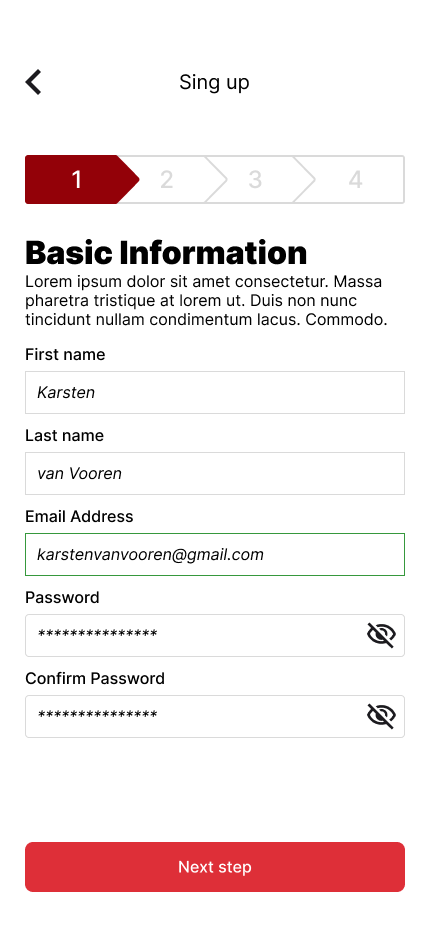
Signing up happens in four clear steps with a progress bar: basic info, email verification, role & permissions, and review & confirmation. Going back asks for confirmation so no progress is lost by accident.
02
Role-based access
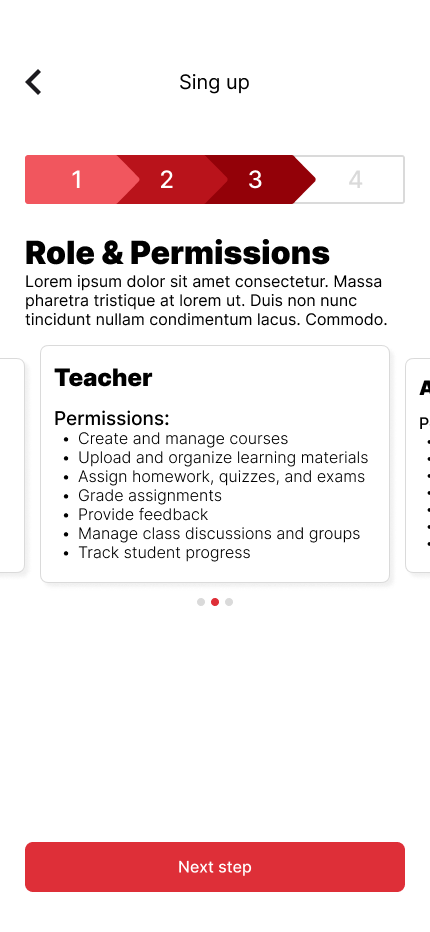
Students, teachers and admins each pick their role and see exactly which permissions come with it.
03
A course page built around tasks
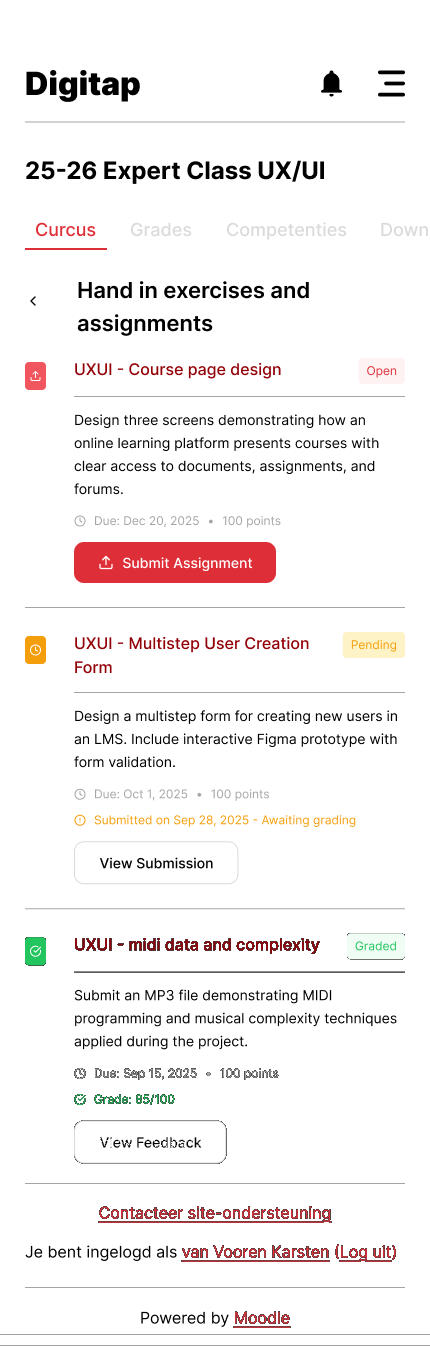
Each course has tabs for content, documents, assignments with a clear submission status, and questionnaires & forums. Surveys show progress, have a question navigator and can be saved halfway.
04
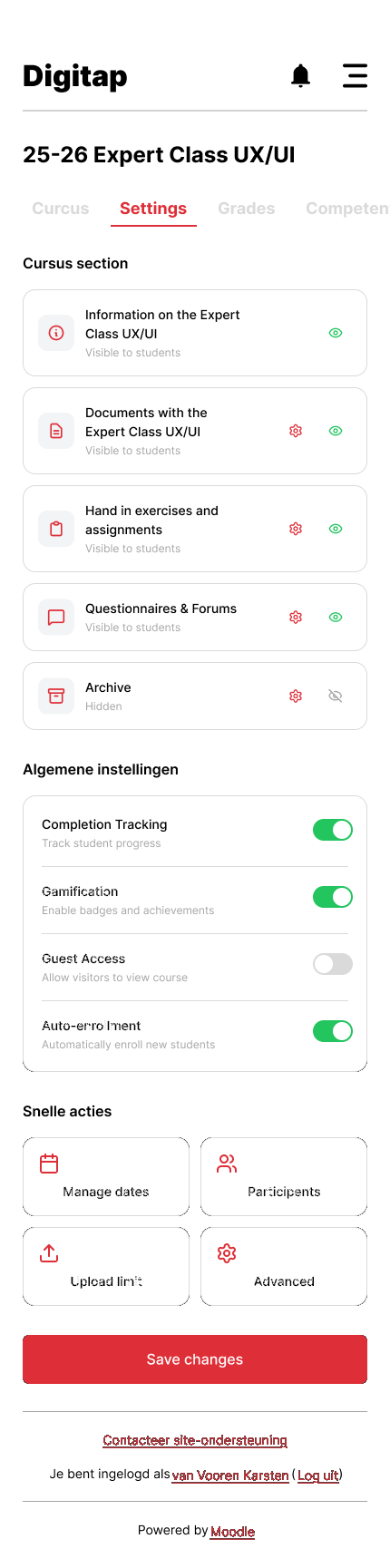
Teacher settings in one place
Teachers manage documents, assignments (late submissions, penalties, resubmissions, peer review), forums and archiving per course, each in its own focused panel.
Also included: My Account with profile, enrolled courses with progress, grade overview and settings.
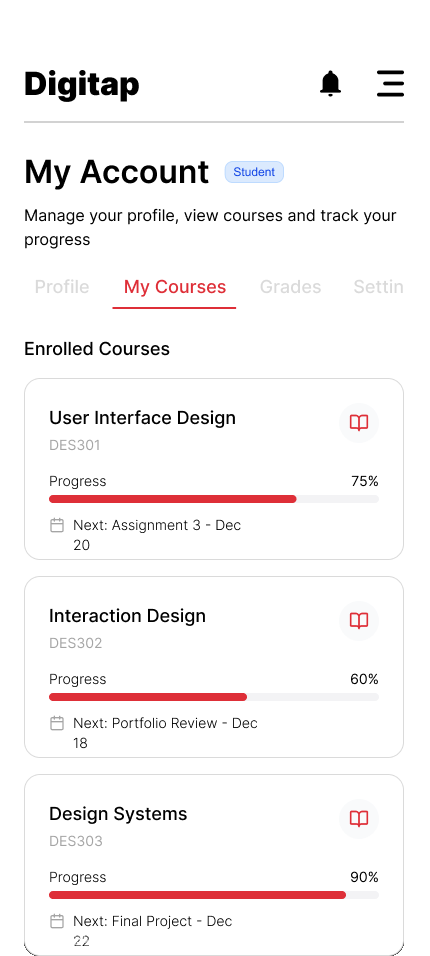
Enrolled courses with progress
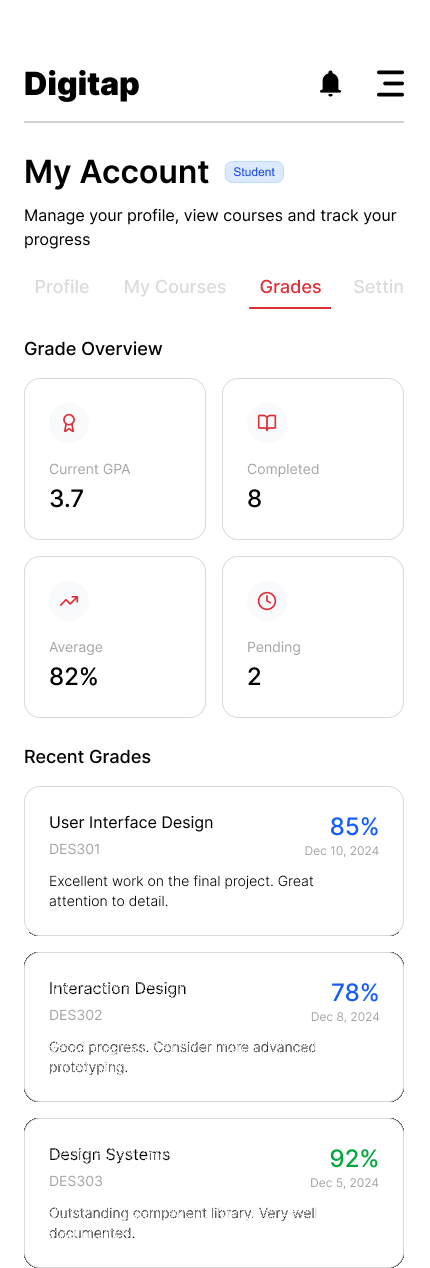
Grade overview
Style guide
Colours
AP Red
#DE2F38
Primary actions, active states
Dark Red
#930108
Accents, AP shapes
Purple
#C72FDE
Communication: forums & surveys
Black
#000000
Text
Border Grey
#DADADA
Inputs, dividers, disabled
White
#FFFFFF
Background
Typography
- HeadingsInter Black 32px
- Headings
- LabelsInter Medium 16px
- Labels
- Body textInter Regular 16px
- Body text
- PlaceholdersInter Italic 16px, #DADADA
- Enter your email address
Components
Visual language
AP's geometric shapes, quarter circles and squares in reds, appear only on the start and end screens. The rest stays clean so the content comes first.